Showing posts with label student. Show all posts

Monday, November 24, 2014

The "Power of Habit" and working in schools

Every day we react.  We react in the way we were taught, programmed, advised, mentored, parented, etc.

Our reactions have become a habit.

I recently was reading this:
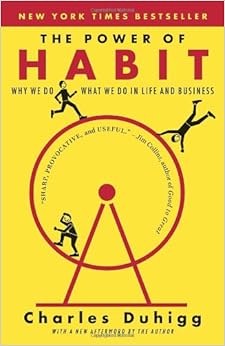

 Then again came across this podcast about habit.  Learn more about habit here.

But do we ever analyze the way we react?

Have we even thought about whether we'd react the same way if we were given new opportunities?

Imagine this:

A kid is misbehaving in class.

The kids misbehaving are the stimulus.  The black box, being the thought process happening in our brain based on habit.  This leads to a response

That stimulus typically leads to a response from the teacher.  The teacher can:
  • discipline the student
  • reteach expectations
  • redirect the students
  • ignore the stimulus
  • send the student out of the class
  • etc.
But what if........

What if we imagined a different school?  What if we projected how they might behave, what their responses might be?  What if we taught differently? What if we thought differently...

Imagine the staff of "THE SCHOOL OF EXCELLENCE" (I know cheesy).

But how would the teachers at that school respond to stimulus?
If we can examine the habits we have, we may be able to analyze possible solutions and the adjacent possible solutions that impact our kids.

What we do an how quick we react impacts students.

Take some time to list stimuli that happen today, how did you react to it?  Would the staff of this fictional school react differently?

Time to form some new habits....

Wednesday, September 5, 2012

Simple Strategies for Student Engagement


That tilte is very alliterative.  I just needed thesaurus.com a new word for engagement that starts with the letter "S." I didn't like any of the options...

Our district is investigating The Art and Science of Teaching by Robert Marzano (@robertjmarzano).  This is a review of Chapter 5.


As an aside.  I love this book.  I love it because it explains reasonings for doing each of the strategies below.  The science behind the strategy is sound but keep in mind that each piece of this puzzle has to work within your teaching personality and processes.  Doing every one of these strategies is not for everyone, in fact to some of us it just seems crazy to think about trying something like that.  Do what works for you, do what works for your kids, but NEVER be afraid to try some thing new!

From the "WELL-DUH" office:

  • If you can increase student engagement, student learning and performance increases.


Simple Strategies for increasing student engagement:


  • Take Brain Breaks! You can only focused for so long.  Sometimes just a change in elevation and surroundings elicit new responses and reactions.

  • Increase the physical activity of the room.  If you are doing a worksheet and you are committed to doing a worksheet.  Have students move from station to station completing the worksheet one at a time.  Any increase in physical activity in your room will increase engagement.  My favorite activity I ever did was when a group of my 6th graders acted out a skit to music on the water cycle.  No words were used just music and gestures.  It was the most memorable and fun activity ever!

  • Set a good pace.  Just like a race on the track setting a pace will allow you to meet your goals.  Pacing is key to the classroom.  A quick, urgent but not too fast pace keeps the room upbeat and lively.  Use music with a certain BPM can aid in keeping a solid pace.

  • Use games and puzzles.  Sure you could change your entire curriculum into a game but you can also  just take your curriculum, your essential learning and turn it into a puzzle we in the class are trying to solve.  For example a science lesson may ask for students to be able to determine lights behavior when it strikes objects that are transparent, translucent and opaque.  I might change that to make it a puzzle by saying: Students will be able to determine __________ behavior when it ____________ objects that are _________, ___________, or _________.  Throughout the class we can begin filling in the blank and solving the puzzle.  By the way, actual games are fun too.  I once made a taboo and a pictionary game out of our vocabulary words and concepts from out chapter, I've never had so much fun in my life.  Everybody does Jeopardy, I wanted to be different...  I also centered my entire Force and Motion curriculum around the game Angry Birds.

  • MILD Pressure is good.  Using games and activities in the classroom elicit students engagement because there is a deadline, a competition, a healthy rivalry.  Use these as motivating factors but NEVER put too much pressure that a student shuts down or becomes embarrassed.

  • Wait time is key.  I watch a master teacher (my assessment of them) and when she would ask a question she would raise her arm.  While her arm was raised this was the time for students to think.  When her hand dropped she then would accept student responses or student raising their hand.  What I liked about this is it eliminated those slower to process the question and allowed every student the opportunity to think.  I am also a fan of the popsicle stick method with student names on them in a cup.  Making sure student never know when they will be called on ensures every student is engaged.

  • Choral response is great for BIG ideas and main concepts.  I love asking everyone to repeat a word or phrase.  That allows every student to know this is a BIG idea.

  • Controversy can be fun.  When you curriculum is centered around a BIG idea or Essential understanding what is exciting to see every student look at that concept from a different angle.  Host a friendly debate on the importance of various aspects of the BIG idea and encourage some dissonance around the issue.  This will encourage kids to debate and discuss and really investigate their personal beliefs and bias around an issue.  Everyone uses the example of global warming.  What about war in our social studies curriculum?

  • Provide usual information about your concept.  When you have little tips, tricks and fun things it makes your curriculum memorable.  For example My light and sound unit I taught in 6th grade was relatively boring at first.  Every day at the end as part of my wrap up activity I left them with an optical illusion.  This was something that made the day memorable and got them thinking and talking about science.
(do you see the old or young lady?)

  • Love and care about kids (not in the chapter I added it!).  I know it's odd to say Love but I'm not talking about romantic love, I mean that you arte compassionate, caring, open and honest with every student in your room.  They see you not only as their teacher but a real person that learns, makes mistakes, is fallible and true to them.  Caring and compassion are keys to a successful classroom engagement.

Monday, August 27, 2012

Curriculum Models

Let's take a trip through time....


Schooling first started with very little idea of curriculum.  Most of our models were designed from educators who had all the knowledge and served as leaders within their community imparting knowledge they had onto students and community. They were the gatekeepers to all things education.


Text book companies and government standards mostly due to military needs created a content crisis where standardization of the curriculum was necessary.  This generation of education led to the model of teaching students in rows, the obedient learner and the standardized assessment.


Similar to the 20th century model our current model sets the standards wether they be CCSS, NGSS, NCSS or whatever still focusing on standardization.  This thinking keeps us in rows and focused on performance on paper/pencil assessment.  


The 21st century model and current brain research shows that students have different needs than they did in the past.  To develop true transferrable knowledge and skill we need to engage students in a different way and elicit new kinds of thinking about curriculum, education, and student-centered learning.


As we continue down this path in the Webster Groves School District I am hopeful to continue to strive to push the envelop of traditional schooling.  Putting student passion, interest, problem, projects and games at the center allows for the personalization of learning.  This diagram above is just the beginning of our journey and will continue to be added upon as we develop more detailed and supportive part of the curriculum.

Sunday, May 20, 2012

Take a day off! 20% time

As I wrap up this year and begin to reflect on some of the things I've tried in my classroom.  My ultimate goal was to reach 100% of students scoring proficient on our common assessments.


I didn't reach my goal.  I was able to increase student performance to reach 84% however I still have work to do.


Throughout the year I was also able to utilize 20% time to increase student engagement.  I was motivated by Greg Miller to reflect on my students work on their 20% projects and share some of them.


I've been working on this concept all year thanks to the efforts of not only Dan Pink but also Josh Stumpenhorst.  Dan's book Drive gave me tremendous starting points when thinking about giving kids autonomy.


I started the year showing students his TED talk:


I followed up the TED talk with creating class rules.  Any time we got into a difficult situation in the class or with a group of students working on a project I always came back to this video:


My classroom had two rules:
1.  Accept any offer (for help, advice, constructive critisim, anything)
2.  Always make your partner look good.  (by partner I explained that could be me, your classmate, your parents, etc.)


This video and these rules were the backbone of our class.  Sure, every once and a while a group or individual was off-task, it was an easy conversation that they were not making me look good.  When they were behind on due dates, they were not making me look good, so when I adjusted their project, I encouraged them once again to accept any offer.


Student made some EPIC projects and below are some of my favorites.  I asked students to not only share their work but also explain why they chose to dive into that project.  It was very eye opening.


Below is the topic students chose, a link or picture of their project, and why they chose their project.   Here they are:


_____________________________________________________________________
"6th Grade for Dummies"
Search 6th Grade for Dummies on Google and click the first link or click this link    http://sites.google.com/site/6thgradefordummies/
I chose my project because I wanted to make it easier for 5th graders coming into 6th grade.  I have made a site that talks about all the key elements of 6th grade at our school.


"The Binder"
sites.google.com/site/nipherbinder/
i chose this because i wanted to do something to do with a website and to also tell about our fair school, and henceforth, the binder was born.


GarageBand Tutorial
https://sites.google.com/site/garagebandtutor/
"I chose to make a website about GarageBand to teach people how to use the differing versions for iPad and Computer.  Some people don't know how to use it so I show them how."


Why the world won't end in 2012
https://docs.google.com/present/edit?id=0AbqRfbMjFr10ZGZmeDVzamJfMTdkYjI2MjNmZg
I'm tired of everyone saying the world will end on December 21, 2012, so I proved it wrong with some facts and some of my opinions


Written in Red movie
(Have to ask the girls permission to post the video)
i chose this movie because I wanted to try and see what being a director was like. I thought it would be cool to find out what goes on behind the scenes of a movie by making one myself with my friends.
Hannah, Hanna, Bridget, and I chose this because we really wanted to "produce" our own movie. We had some awesome ideas for the movie. It took a lot of time but it was really cool!


CHESS!
https://sites.google.com/site/chesschesschess100/
Because I really like chess and I wanted other people to like chess too.


I choose this project because I love chess and I like it when other people start to play chess. This website can teach you a lot about chess


Hockey
https://docs.google.com/present/edit?id=0ATFJ_0cyBuyPZGRoNGtzZzNfMGhodmR4a2Q2
because i like hockey


Piccolo
(Student memorized and played a song on his piccolo, THIS WAS AMAZING!)
I am interested in music and pianos are heavy.  That's why played a nice march on the piccolo


iPad
https://docs.google.com/presentation/d/1aecObwGPW2NhzD7065s3Na5wcqmI3AbNrQNEDFlIg1o/edit?pli=1#slide=id.p
Because my dad got the new iPad when it came out in March, and at the time he had the two so I decided to make a presentation on the differences and similarities between them.


Basketball
https://docs.google.com/present/edit?id=0AcDV__0QiqSJZGdnc2ZyM3FfMGR2NHpuc2ho
I chose this project because I speed my free time playing basketball, but I didn't know how it started or who created it or practically anything about its history.


Drawings


Because i wanted to get better @ drawing!! :)


http://www.wix.com/josh4robertso7/howtodraw_beginner-expert
I like to draw anything and everything


Bullying
https://docs.google.com/presentation/d/15s1Ta9Zah0Y1YTWAttMJAbSOl0jgu7iLTmY7fO4wsMY/edit#slide=id.g2192016_0_0
Just some things that can be led to because of bullying. Though It's not complete.


Candy
https://docs.google.com/document/d/12lMfShrQtleXFPSvuzXb8qGfjSuYop179h0Ugxrb_gc/edit
I hose this prodject because I love candy and I thought that it would be an intresting project to other people!


LOL CaTz Game


I liked lolcats over the summer and started creating a card game that was just right; not too hard or to easy. That was postponed due to school, but when Dr.Mcgee told us about 20%, i restarted the project and finished 2 decks and a playing mat, and i am working on decks ""ancient meowmix"" and ""popular pistachio"" and i will continue to work on them over the summer.


NOTE:  This product is Patent Pending thanks to amazing parents that see the excitement in students that love playing this game.  We are also hoping that a game company will take the idea and actually create the game.


Homemade LOL CaTz
https://docs.google.com/presentation/d/1Jz3ICiRYpPiKwhZS-2oC3hoUWQRBOkU7B66wEMxhGno/edit#slide=id.p
I was thinking about Beckets project and i wanted to sort of do the same but not in card format.


Players on Steroids
https://docs.google.com/presentation/d/1bz1rfquAZZZeVYBomXeEBQw9FVVdWreJqRqSiMp5zXg/edit#slide=id.p
I was curious about baseball players who took steroids and wondered who was caught and who was thought.


Duct Tape Flowers
https://docs.google.com/present/view?id=df6d6m7g_72fc6k2qcn&revision=_latest&start=0&theme=pinknpretty&cwj=true
I like making duct tape items so I decided to learn how to make duct tape flowers for my 20%, instead of purses or wallets


Baritone
https://docs.google.com/present/view?id=df6d6m7g_72fc6k2qcn&revision=_latest&start=0&theme=pinknpretty&cwj=true
because I am interested in the baritone, I play it.


10000 Jakes
https://docs.google.com/presentation/d/1Imz0ktxz_R6ytTYD3hpgB_V4sE_PHNbqubD0X6T2OkI/edit
because I like typing my name and I was bored


Cat Video Game
http://scratch.mit.edu/projects/bhcseri/2385354
i like video games.


Fish Game
http://scratch.mit.edu/projects/paylow03/2541680
This is a game created on the scratch software and I wanted to create it my self.


Best Baseball Moments
https://docs.google.com/presentation/d/1eDrn0NBoLLTDUSH_cJgdjEESHIGn0N4BDUCTSu6oH74/edit#slide=id.p
Because baseball is my favorite sport and I wanted to learn more about the greatest plays ever.


Trumpet
https://docs.google.com/presentation/d/1YwGiS8XewMTR-ioDZZlnKLincWHfokgrHQFQ7GKgbaI/edit#slide=id.p
Because I play the trumpet and I like it.


Statutes at Night Book


I love to write so I made a story on a website from a previous story I had wrote.  I basically made a remix or new version of it.


Bar Mitzvah
Because my family is mostly Jewish, and I thought it would be interesting 2 make a collage for preparation for my Batmitzvah a year bfore my actual ceremony.


_____________________________________________________________________


Motto of our class and of every project we had:


It's About Error Recovery 
NOT 
Failure Avoidance.

I used the following scoring guide to assess and give feedback to students.


Monday, June 6, 2011

Classroom Movie Poster

I saw this slide the other day during an AWESOME SimpleK12 webinar and it got me thinking:


If your students had to create a movie poster for your class, what would it say?

Thursday, May 19, 2011

Dive into the data - Analyzing Assessment Data

Every unit I give formative assessments that drive my instruction.  I alter lessons plans, reteach and reassess as needed and seek to, through effective feedback and standards-based grading, help students succeed.

This got me to thinking.....

How do you analyze test data?  

Whether it is a quiz, a summative exam, a project?  What do you do at the end of the quarter, unit, project, etc. to wrap up and dive into the data?

Here's what I do at the end of every unit: https://docs.google.com/viewer?a=v&pid=explorer&chrome=true&srcid=0Bwz1J6fj2c9rY2E1ZThlNGQtODZiMy00MDk2LWE3ZTYtZGU2ZTg0M2MyMzIy&hl=en_US&authkey=CL2rnegD

No one asks me to do it but I am able to gain valuable information about what worked and what didn't.  I know this is like performing a rather detailed autopsy of something that already happened and something I can do nothing about, but it changes my behavior for the next time I complete this unit.

What are your thoughts?  What do you do?  What data do you dive into?

Tuesday, May 10, 2011

Using Lucid Charts in the classroom

Background

I teach 6th grade science and reading strategies.  With every reading strategy I teach a 21st century skill associated with that strategy.  My reading strategy for this week is making connections between texts.  A text-to-text connection.


Other posts I've done:
Typewith.me
Commenting on a blog
Voki
Infographics
Wallwisher

I have been seeking new ways to visually show making connections outside of pencil and paper and wants to show the connectedness of print, media, and other text based materials.  Then along came Lucid charts.

Lucid charts is best described as a online, FREE, web based, flow chart creator.  It has the capacity to work colaboratively and publishes a number of ways.  So far, to me, it has WAY more capabilities than my little 6th graders can utilize but they loved the flexibility and creativity they were afforded by the program.  I thought it was awesome and the kids thought it was very cool too.  My tech specialist that were watching me use it were so intrigued they got on right away and created an account.  Very cool!

Lesson Plan
  • Teach making connections: text-to-self (see the digital versions and student products here)
  • Teach making connections: Text-to-text using Lesson 46 in the daybook activity
  • Give feedback on daybook lesson
  • Provided student an opportunity to demonstrate making connections using the book they are currently reading
  • Give feedback on making connections using their book
  • Create a flow chart using lucid charts about their day today, set up how we can use this to make connections
  • Give feedback on flow chart
  • create connections model for students to demonstrate how the connections should be made and provide guidelines
  • My model is the image located to the right here->
  • Have students make connections using Lucid charts following key provided.

Set up

I had never used lucid charts but heard about if from Larry Ferlazzo's blog.  I'll tell you soemthing, if Larry likes it, I like it.  That's the bottom line.  I jumped right in plaued with it for a couple minutes and had no problem seeing endless possibilities for thsi free service.

  • made copies of Lesson 46 in daybook.
  • made copies of my model for the final days activities
  • Reserved two classes on two days of the computer lab
  • Enjoyed watching the creativity flow!

Evidence of student work

This being the first time I completed this task its hard to discuss what and how it would be scored.  

There are two separate entities here to be assessed:

1.  Is the student capable of making connections usin the book they are reading (curriculum item).
2.  Can the student utilize a flowchart creation application to create a visual puzzle of the book and connections they are making.


Student work: (I did notice some of the images didn't translate to the finished product, you'll get the drift if you see a large blank spot, that's where an image was at one time.)


Just fun!


One of my students even made a flowchart of the movie The Black Swan.  FUN!

Friday, May 6, 2011

Top 10 list for 5/6/11


Top 10 list


10.  Social media doesn’t cause bullying, it catches it


9.  Class size matters ONLY when the teacher does everything.


8. SH*T my students write.  Man, I had this idea years ago and should have pounced:


7.  The history of the flipped classroom


6.  A GREAT article in the American Prospect:  The test Generation


5.  5 simple web apps to save you time at work


4.  Tuesday Night’s edchat was on Web 2.0 tools.  Compiled from around the world here are some resources and how teachers are using them


3.  Innovate my class.  Grant writing process to get what you need to do that idea you’ve been thinking about.  Now what’s your excise for not innovating your instruction?  Quit saying “If only...”


2.  This stings a little...7 solutions for teachers who want 21st century students


1.  Want to be a GREAT teacher, don’t go to Professional Development!  Got your interest, read this:


Videos of the week

Love this video:  Google docs through the eyes of a student:


Aren’t we BORN to learn.  Think about this video as you line your desks up in rows and set up your classroom procedures.  Fascinating!  How does work and play in your room look?


RSA ANIMATE - Changing education paradigms from Sir Ken Robinson.  REVOLUTIONARY Ideas!


Great info for ALL students.  How to prevent a printing nightmare 

Friday, April 29, 2011

Top 10 list for 4/29/11

Top 10 List

10. Impress your friends with Educational Jargon Generator


9. A school district’s stand on homework.  Fascinating take and very revolutionary.  What’s your reaction?


8. TEACHING SECRETS:  Get back in touch with your inner Middle Schooler...


7. Cool web 2.0 tools for schools - What a GREAT resource!


6. In thinking about parenting, filtering and our online life


5. 101 Friday Puzzles great for problem solving and critical thinking http://goo.gl/3jS

4.  Study blue.  A very neat resource for creating resources for students.  There’s also an app for that!


3. 16 things I wish they had taught me in school, I’m especially fond of number 10.


2. What does “Being a great teacher” mean to you?  Great post http://goo.gl/8DQKs


1. How to make the PERFECT cup of coffee


Great videos for this week!

Mark Sandborn, great author from Fred factor says why you don’t need a title to lead


How to subscribe to things using your google reader


The “net generation” as learners


Learnitin5 is awesome!  Video on the value of feedback


The Flipped classroom:  I’ve been doing this for years, didn’t think it was revolutionary, just more efficient.  Now it’s revolutionary.

Saturday, March 26, 2011

Top 10 List for week of 3/25/11

Here are the TOP 10 topics, thoughts, links and blog posts I found this past week (during spring break) ENJOY!


10. I posted this list for my students, some really great free resources here: Free resources for the 2.0 student
9.  Need a web 2.0 tool but can't sem to find the one you want, here's a great resource for choosing: Web 2.0 for the classroom teacher
8. Livebinders are cool, here's some tips and tricks for organizing yours: Livebinders tips and tricks
http://livebinders.com/play/present?id=3342


7. Box of tricks, easy explanations of web 2.0 tools.
6.  I gave a quiz, I graded it, gave t back to the student....Now what? The importance of Formative assessments
5.  21st century learners need 21st century teachers.  I accept the challenge


4.  Have you ever wondered how you could use Evernote in your classroom.  Now here’s a great resource to tell you how.  Perfect!


3.  Merit pay, assessment improvement here's a white paper on Teacher incentives and student achievement evidence from New York city public schools...huh, makes you think.


2.  Get to the point: Teaching to the TEXT message
1.  Most RTs this week: 5 reasons to integrate technology into your classroom.  Typical argument and even better reasons for it...


Top Videos of the Week


Sir Ken Robinson on Learning without frontiers.


“I am” a new exciting documentary that is going to cause the SHIFT to hit the fan
http://www.thedailyriff.com/articles/the-shift-is-about-to-hit-the-fan-611.php


Integrating Online resources into your teaching


Education is changing to world of work